
Add a Mask Object
Contents
To add a Mask Object you can:
- Click on the "M" Icon at the top right hand side of the Objects and Animation Screen
- Right Click in the Object Panel or Main Screen in Objects and Animation and choose to "Add a Mask"
You are offered three alternatives
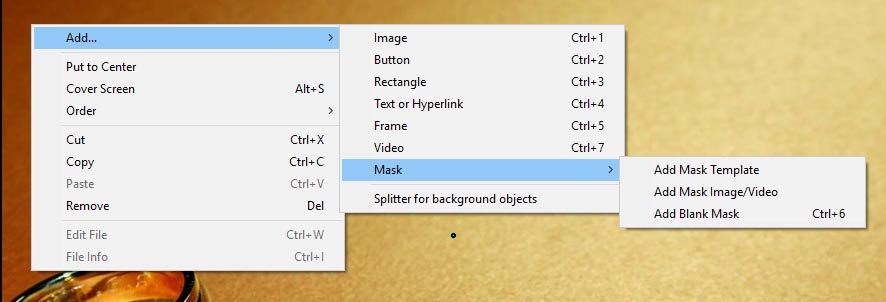
Add a Mask Template
- Choose from Circle or Rectangle
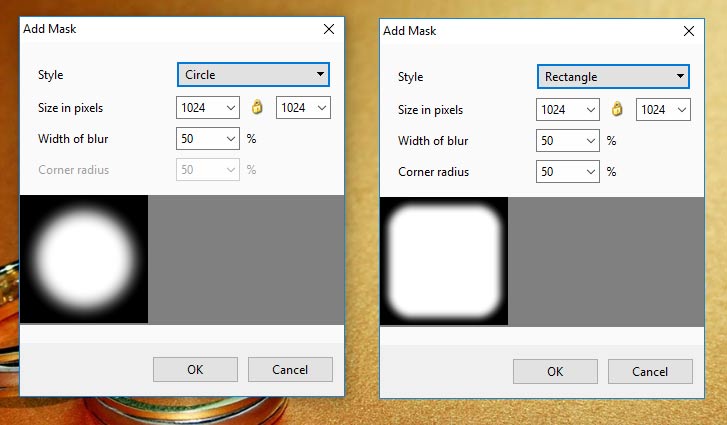
- Click OK to add the Mask to the Object Panel
- A Rectangle Mask is added to the Mask Stencil
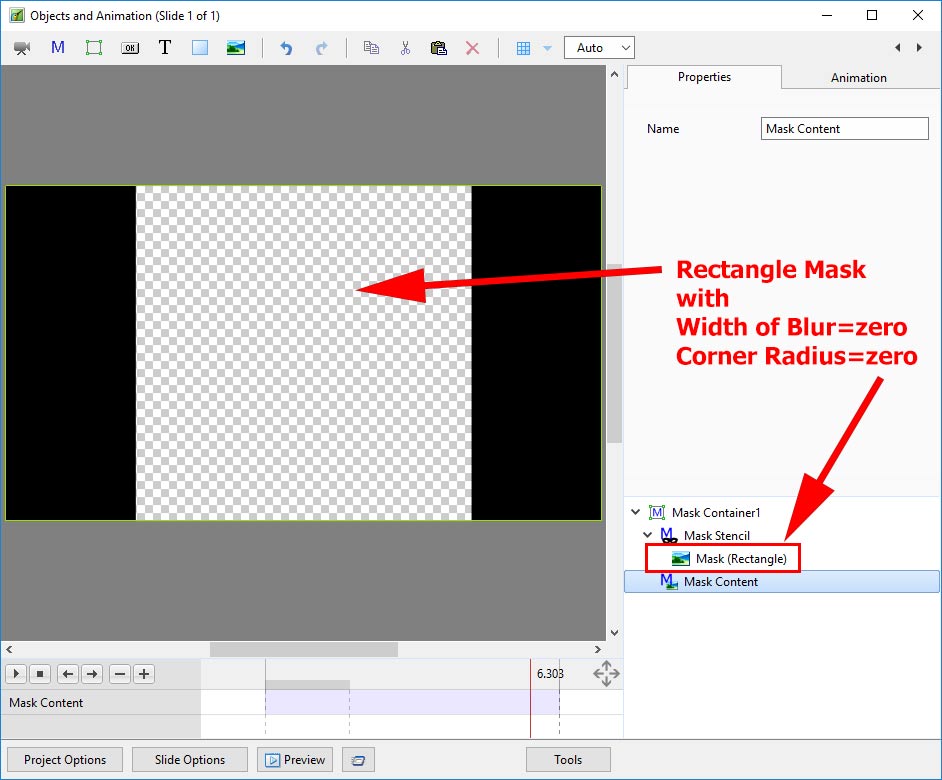
- Right Click on Mask Content and Add / Image
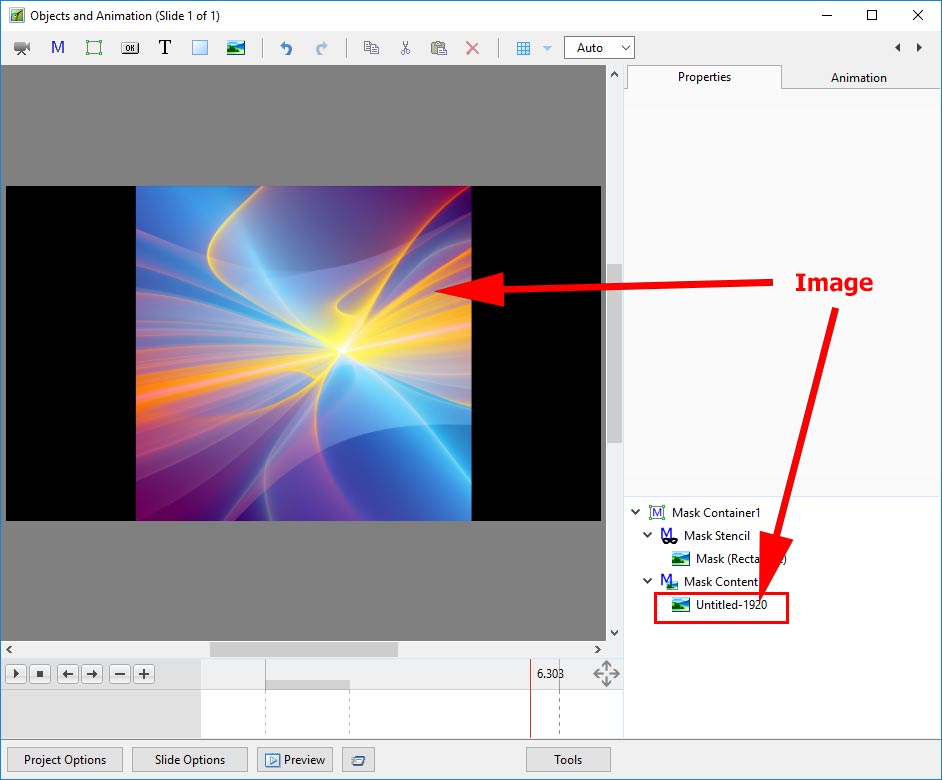
- You can then add Animation to the Image within the Mask
- You can Zoom, Pan etc the Mask Container and/or the Mask Stencil
Add a Blank Mask
- You can add a Blank Mask to add your own Image as a Mask
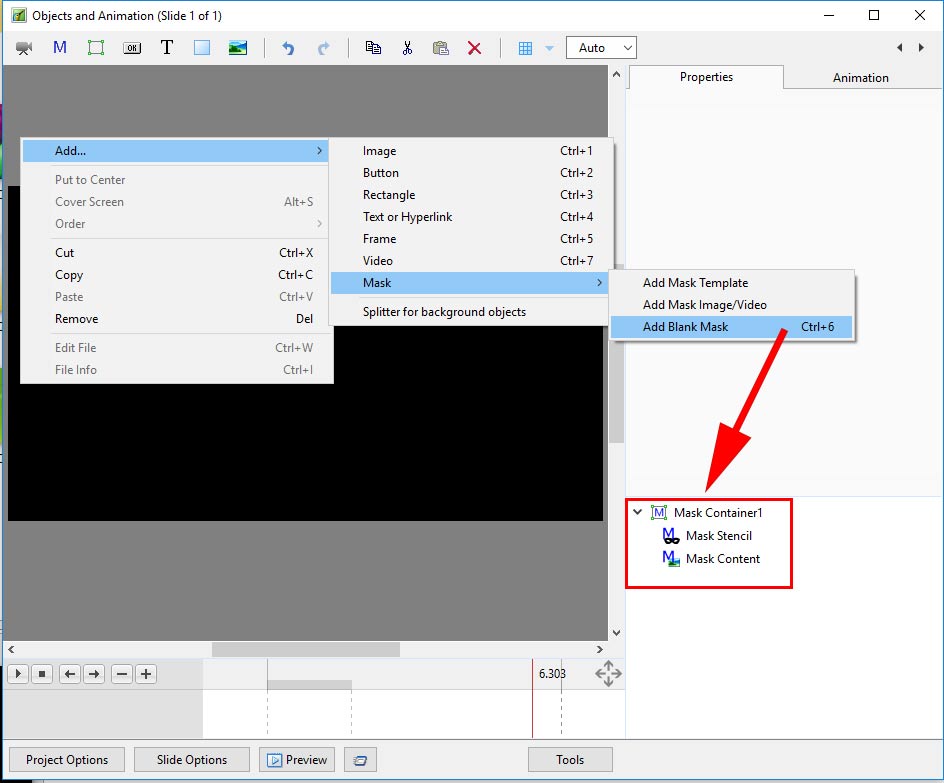
Add an Image/Video Mask
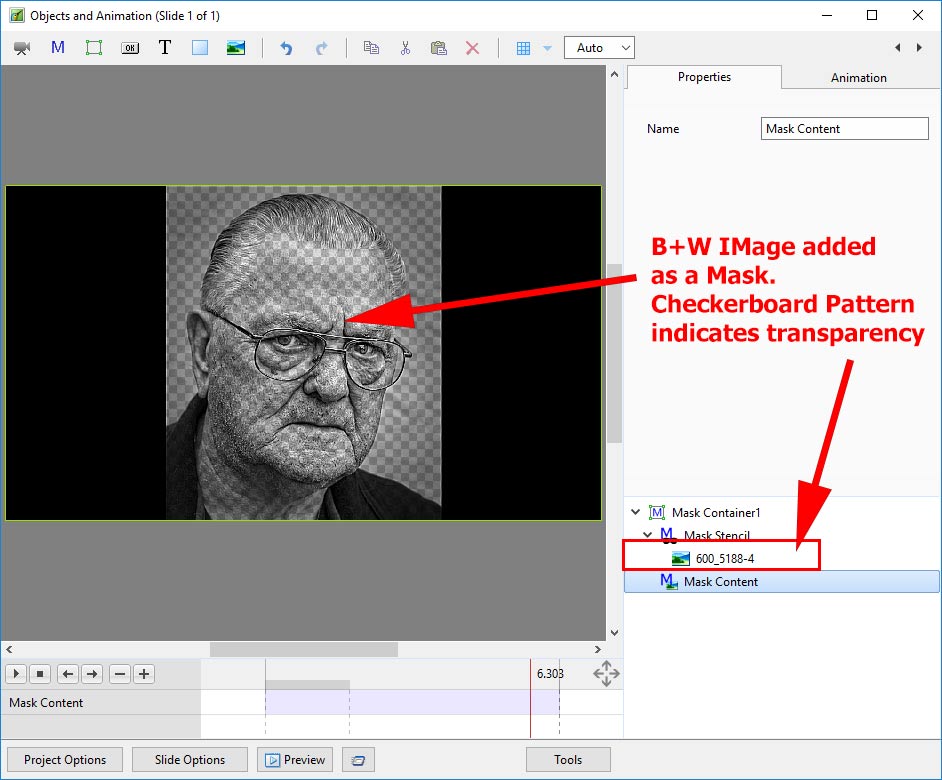
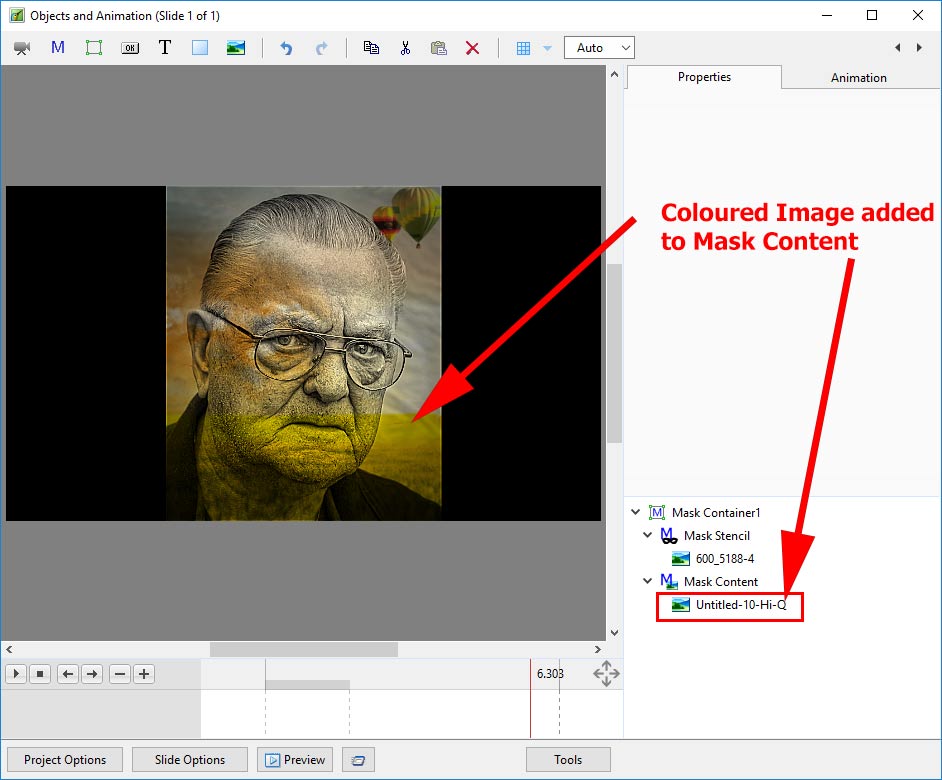
- Add an Image as Mask Content
- A Video could also be added as either the Mask Stencil or Mask Content
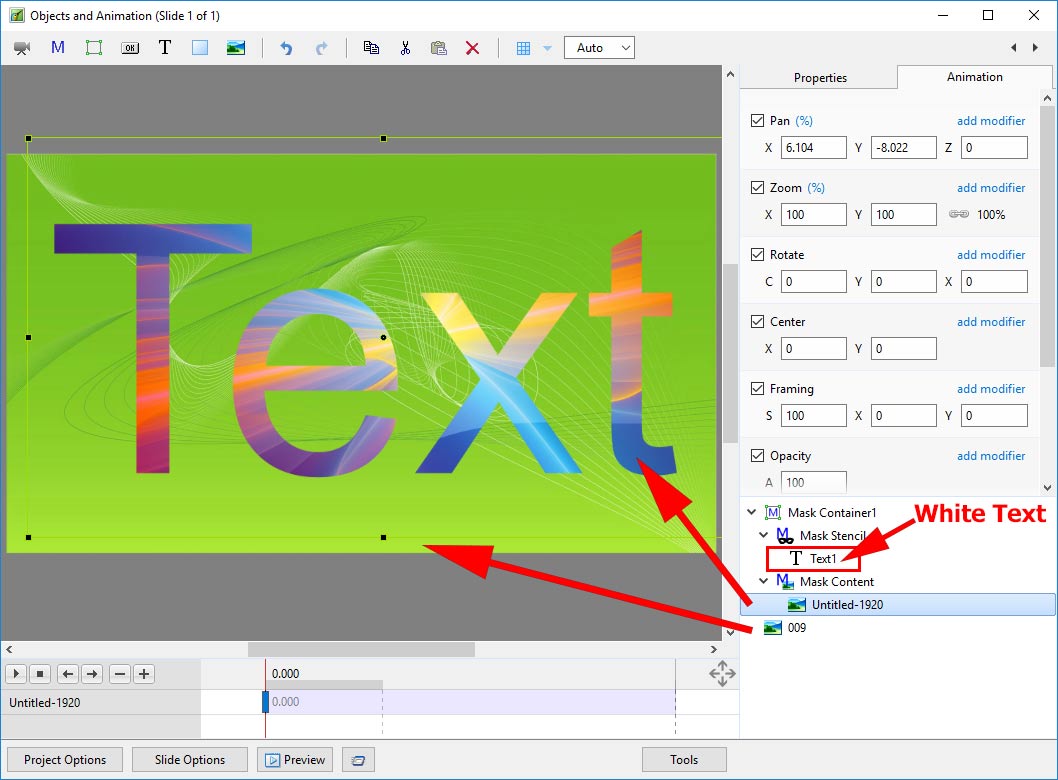
Text as a Mask
- Add Text as a Mask Stencil
- Add an Image to the Mask Content
Complex Masks
- Masks in Version 9 also have another property which enables complex masks to be generated from a mixture of black and white objects: the ability to switch the "Alpha Channel" on and off.
- Here is an example using two black rectangles with a white centre rectangle. Remember "white reveals" and "black conceals"..
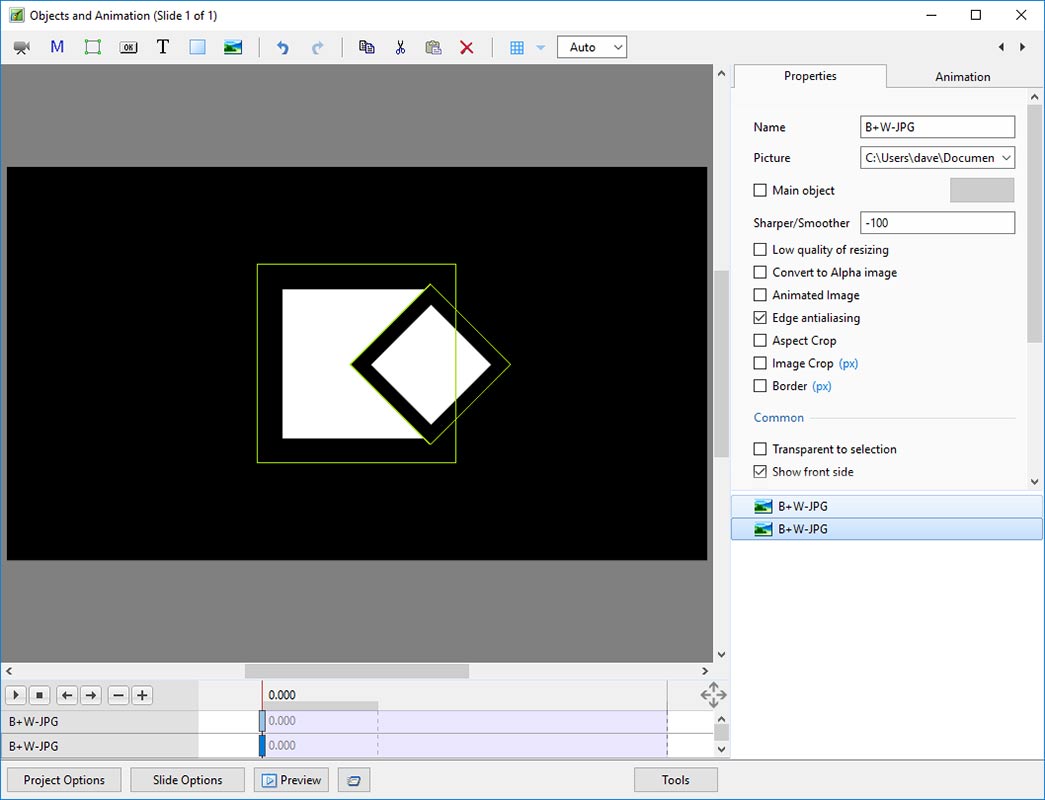
- These two rectangles can be used to generate a composite mask
- The two rectangles are now used as mask stencils in a user-defined Blank Mask
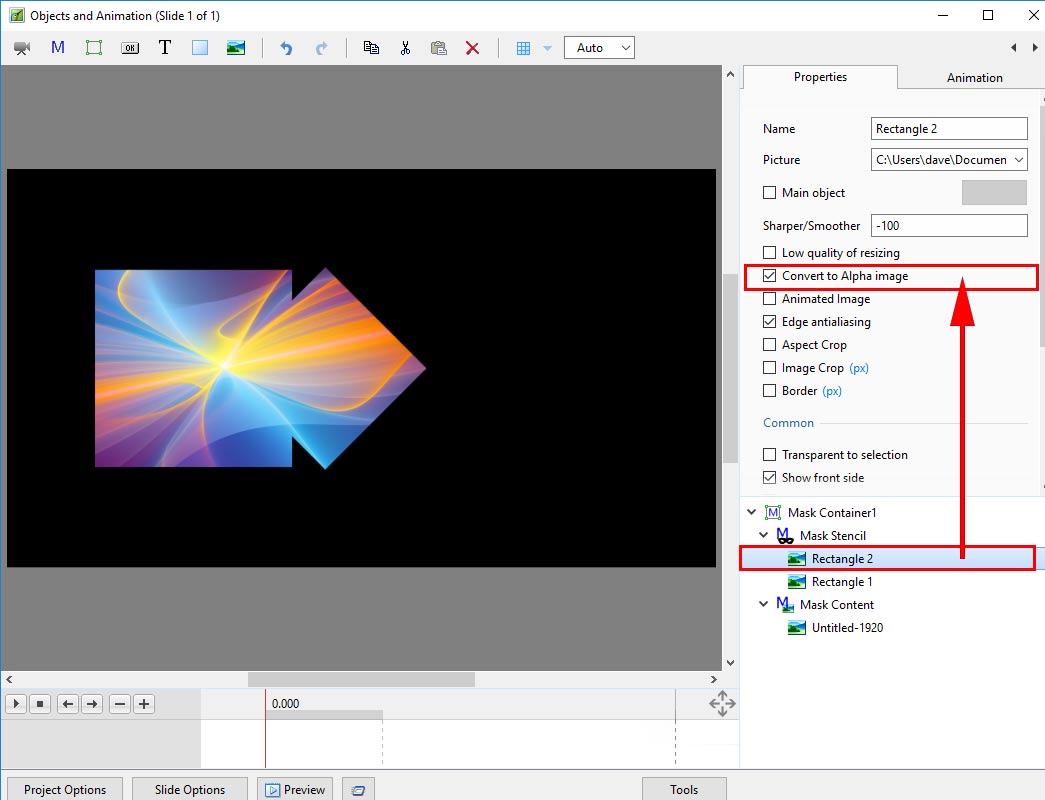
- Rectangle 2 is above Rectangle 1
- For Rectangle 2, if "Convert to Alpha Image" is ON, then the black area where Rectangle 2 overlaps Rectangle 1 becomes transparent
- Convert to Alpha image is ON For Rectangle 2
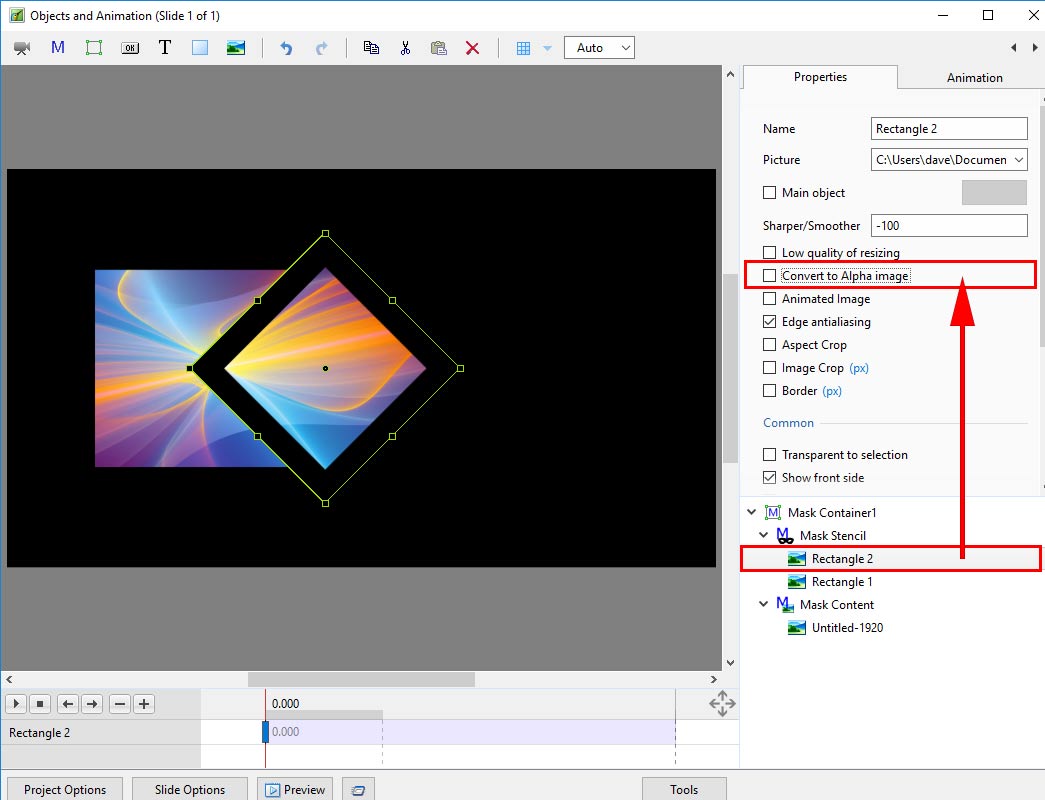
- In the next example, "Convert to Alpha Image" is OFF for Rectangle 2 and the black area blocks out the area where it overlaps Rectangle 1
- More complex masks are possible using this technique and an example is shown below
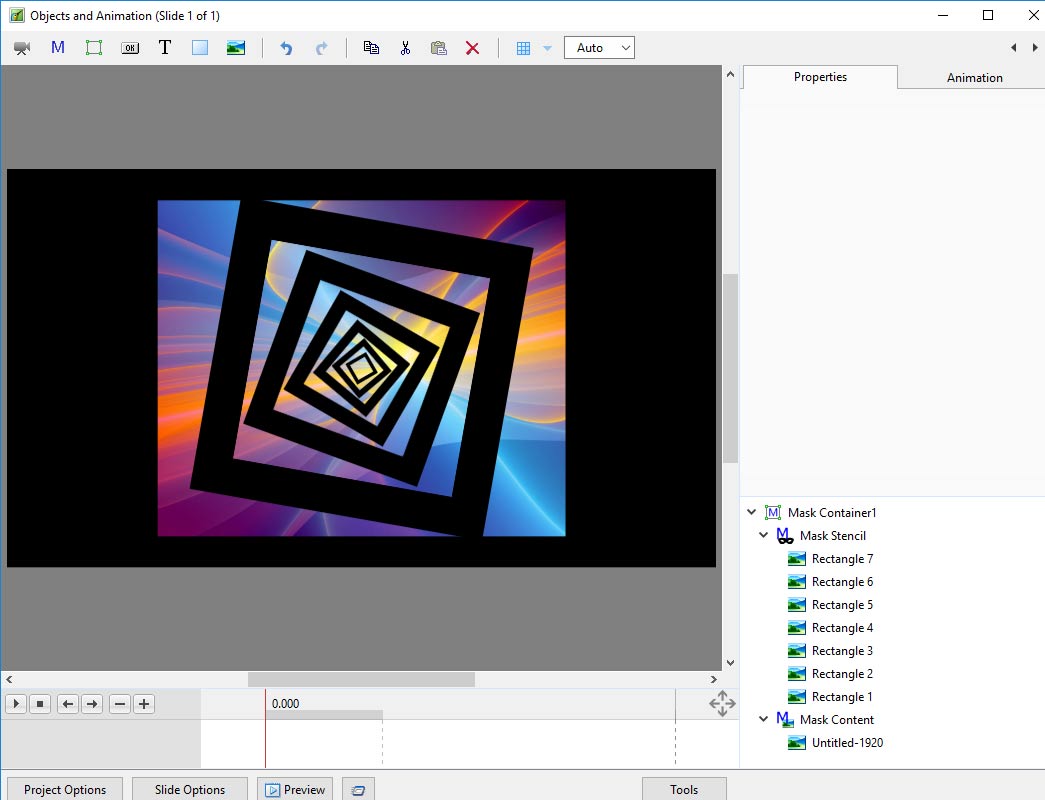
Blending Modes
- Version 12 introduces Blending Modes for use within Masks
- Choose "Add Blend Mask"
- To use, place the first image into the Stencil and the second image into the Content of the Mask container
- You can add video, text object, rectangle object, or multiple images